





Every order gets retyped. Every day.
Minutes per order
Every PDF order is keyed into the ERP by hand. That costs minutes per order, on every single intake. Your inside sales team types instead of selling.
Every typo becomes a clarification case
Wrong item numbers, wrong quantities, wrong prices: entry errors come back as complaints. And then they cost twice.
Silence gets expensive
If a customer orders at deviating prices and nobody objects, those terms can quickly become binding in commercial B2B practice. Unanswered deviations are a contract risk.
Hiring more people does not solve this. Skilled commercial staff are scarce across mid-sized businesses, and the open positions stay open.
How automated order entry works
Two steps. No retyping, no training period, no black box.
Step 1: The order arrives, Flowers reads and checks
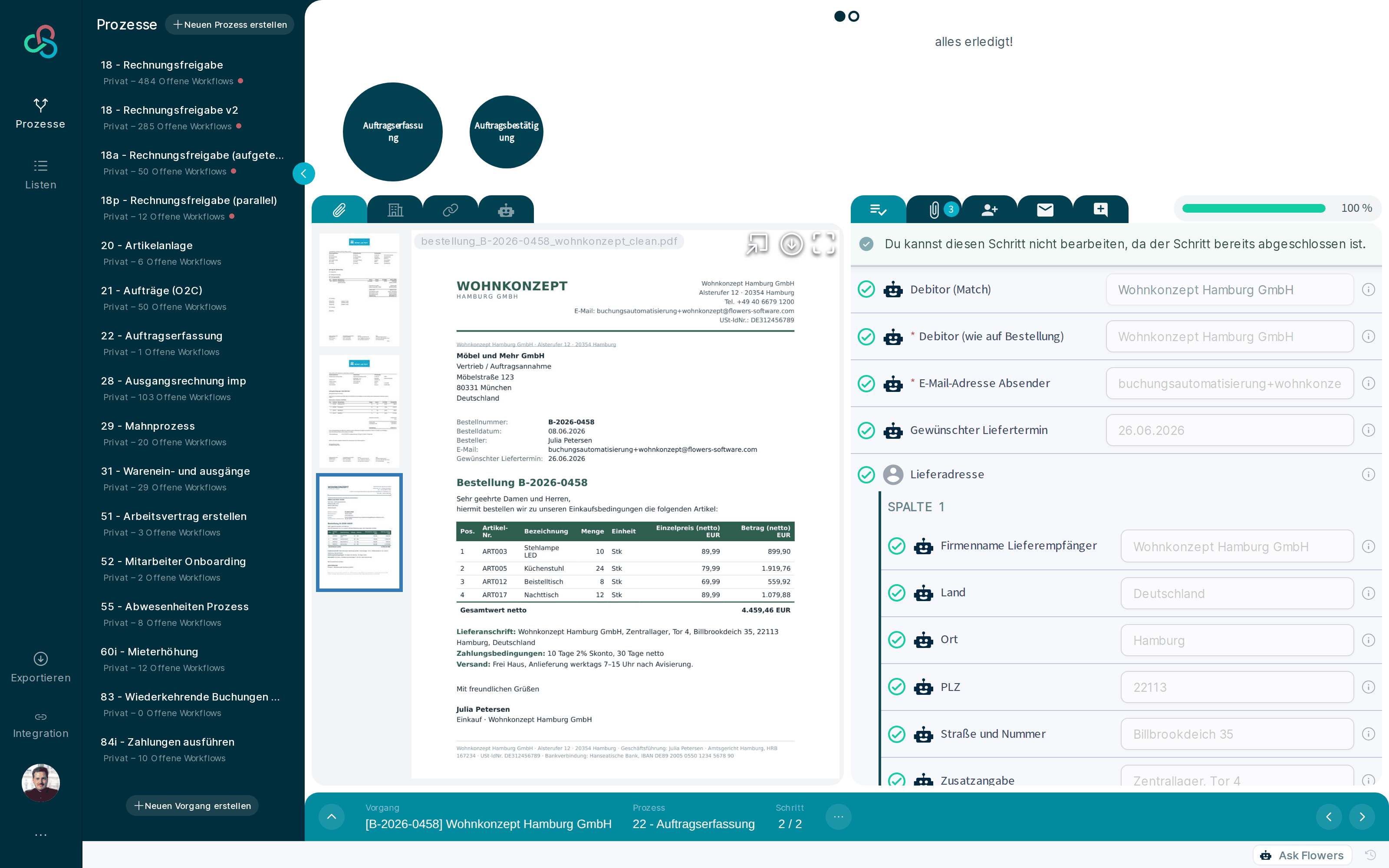
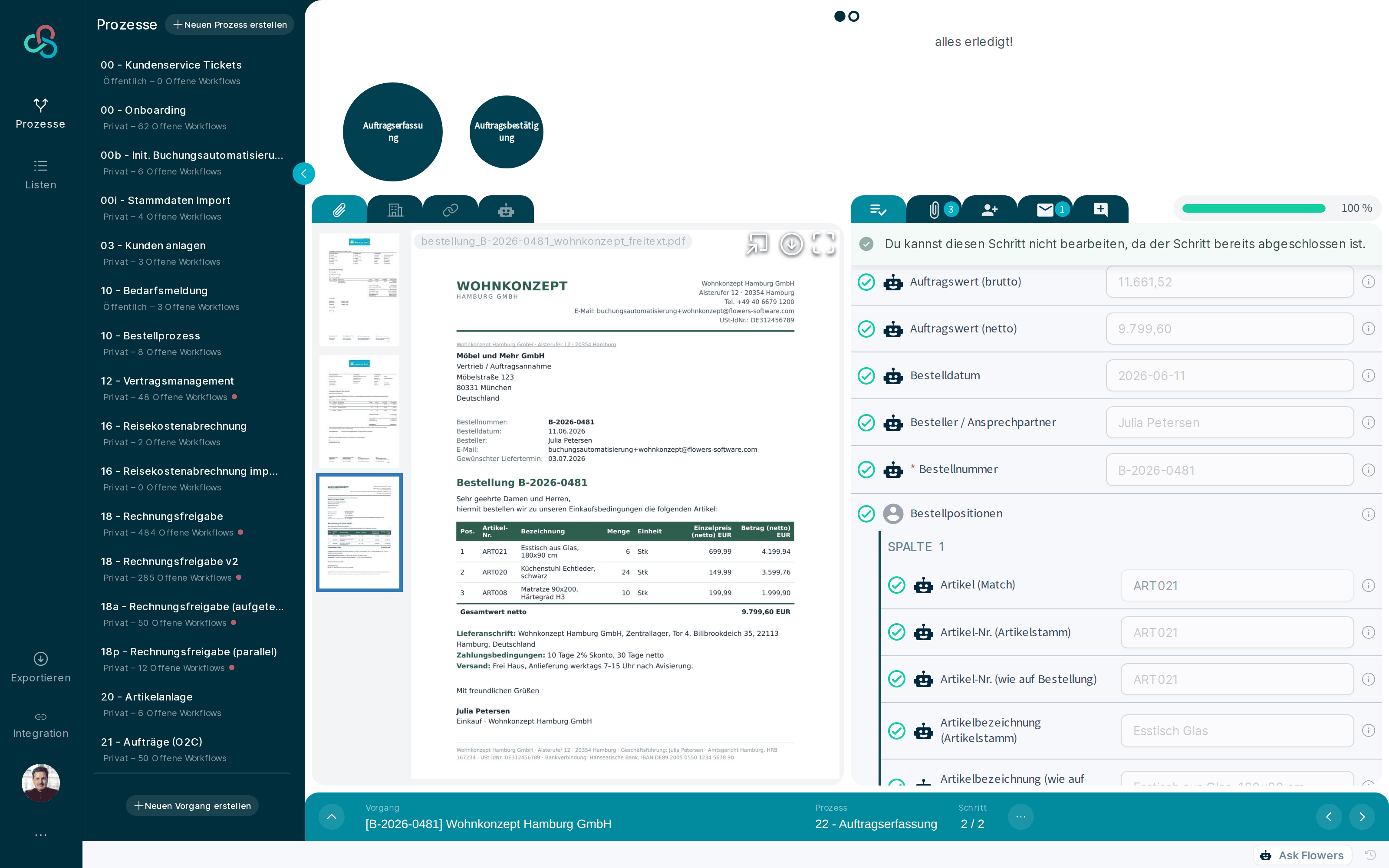
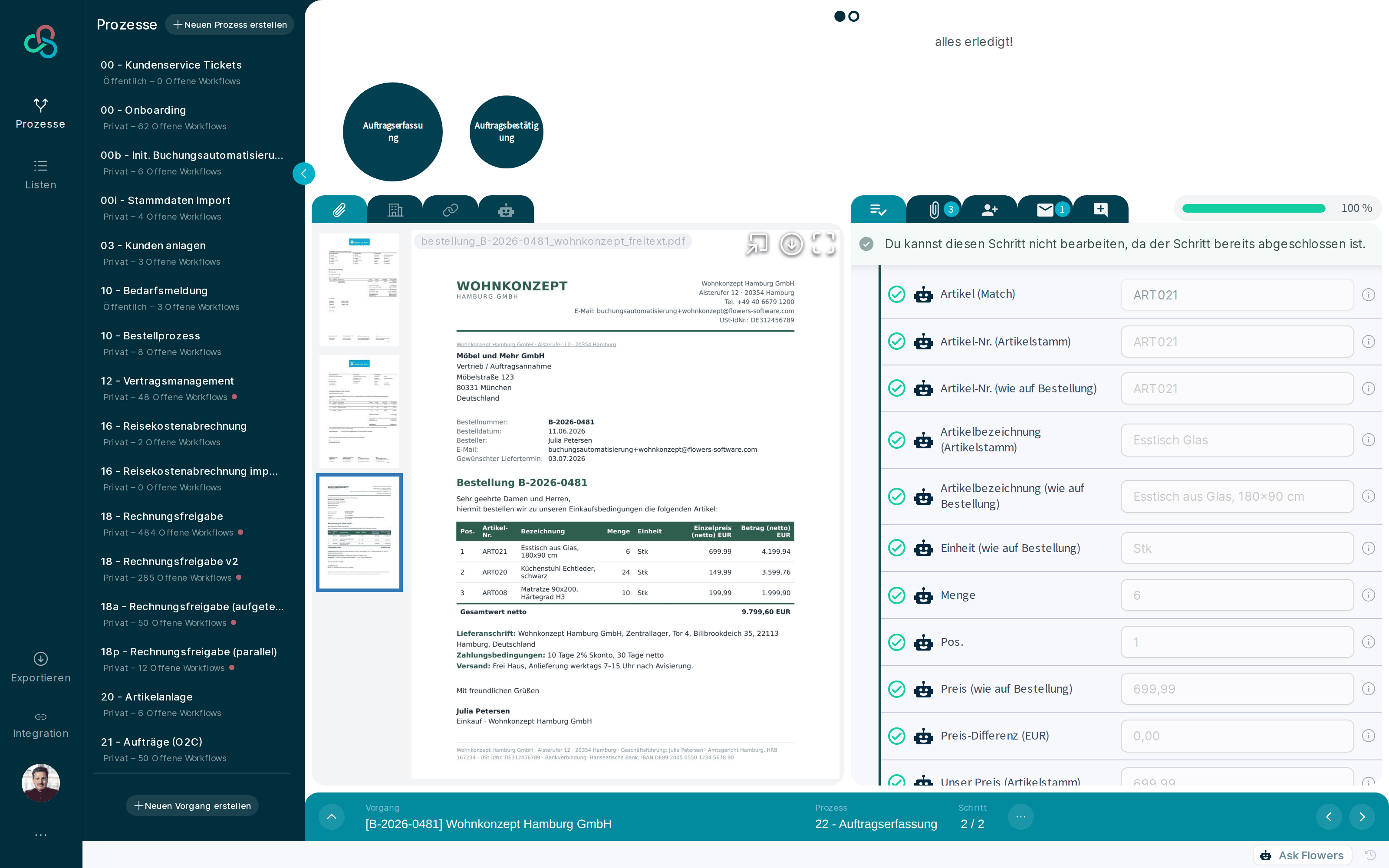
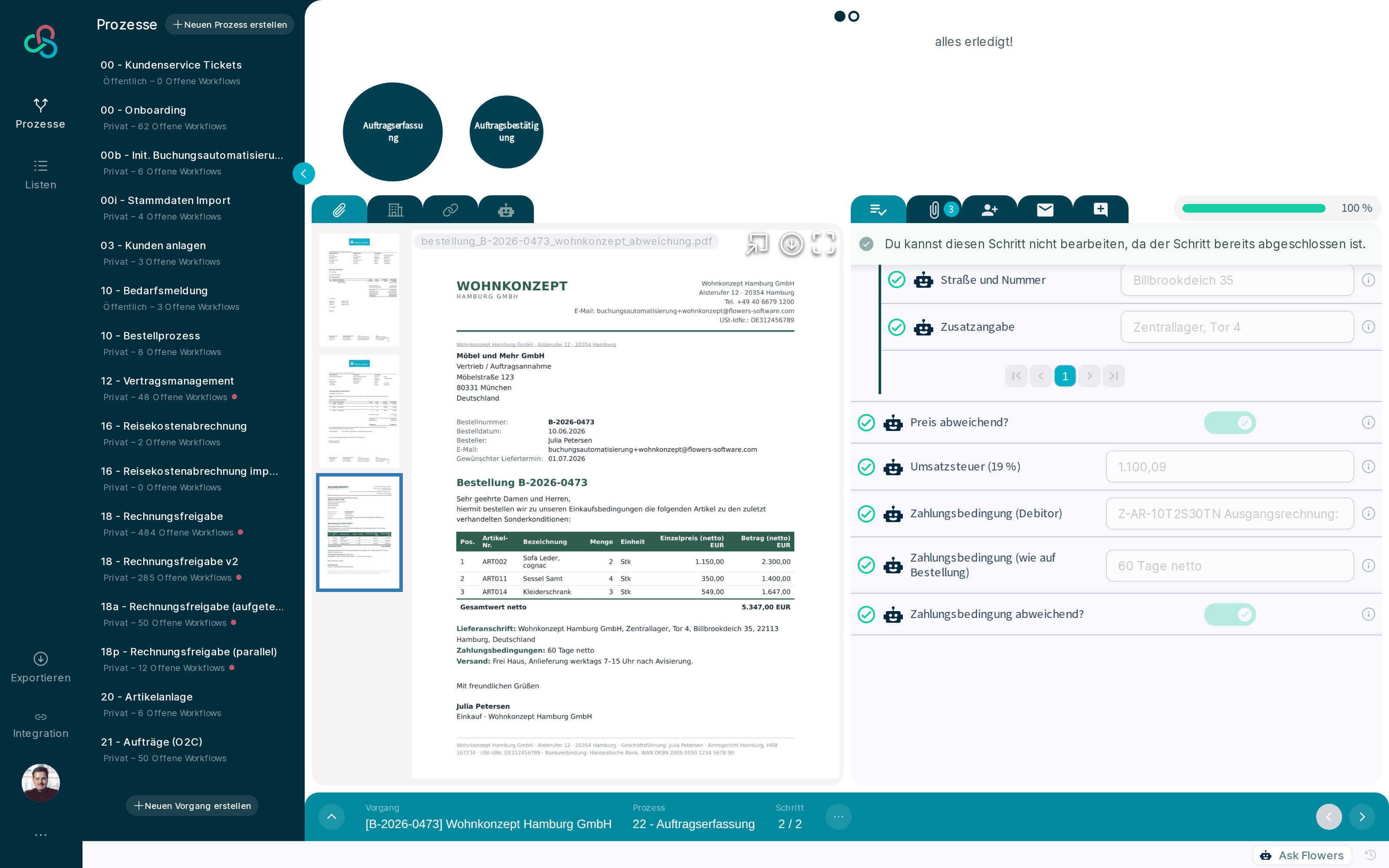
An order arrives by email. Flowers creates the workflow automatically and extracts header data and line items: first 1:1 as printed on the order, next to that the match against your own item master.
Prices come from the item master, payment terms from the customer record. Then the automatic checks run.
Step 2: Flowers confirms automatically
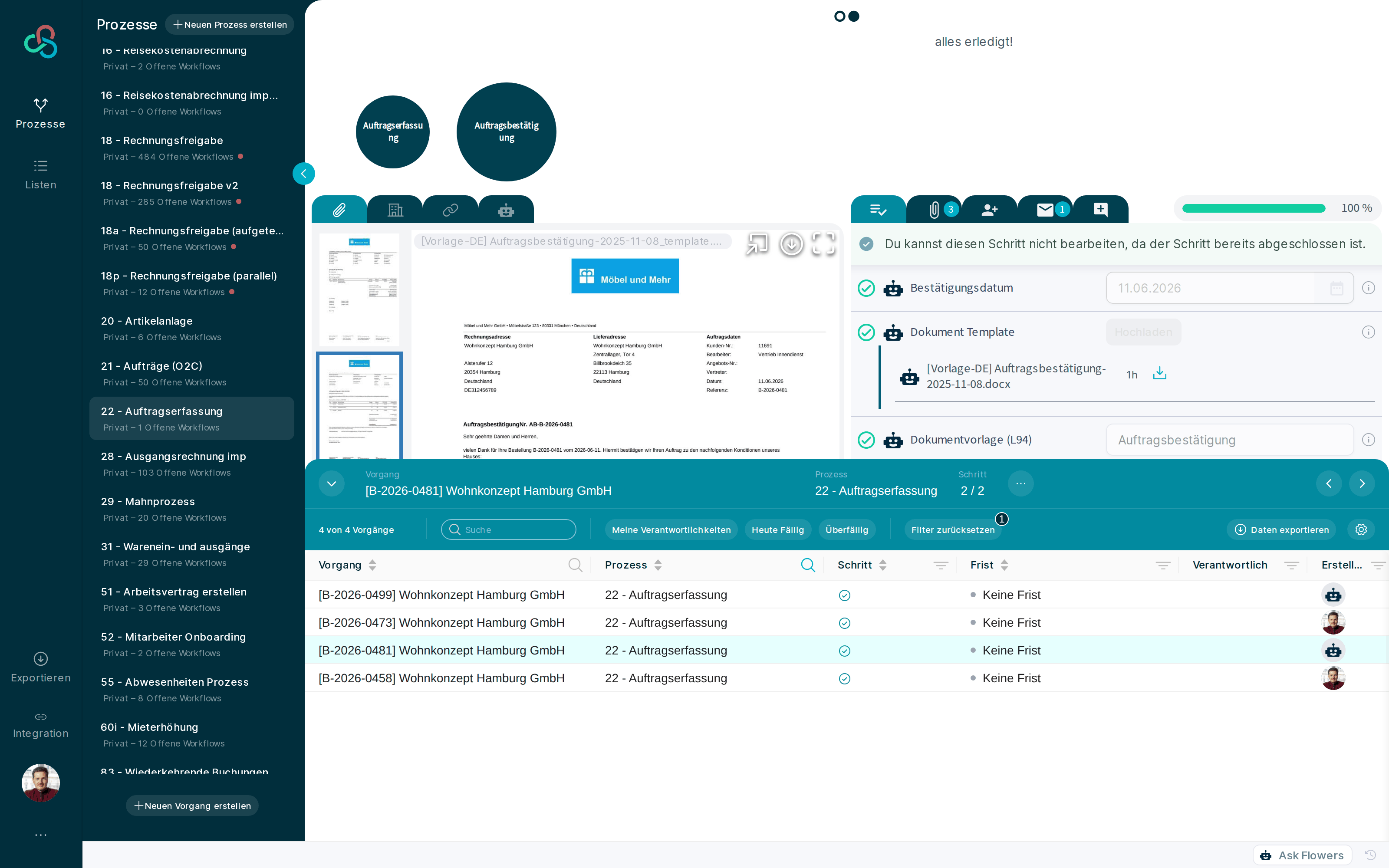
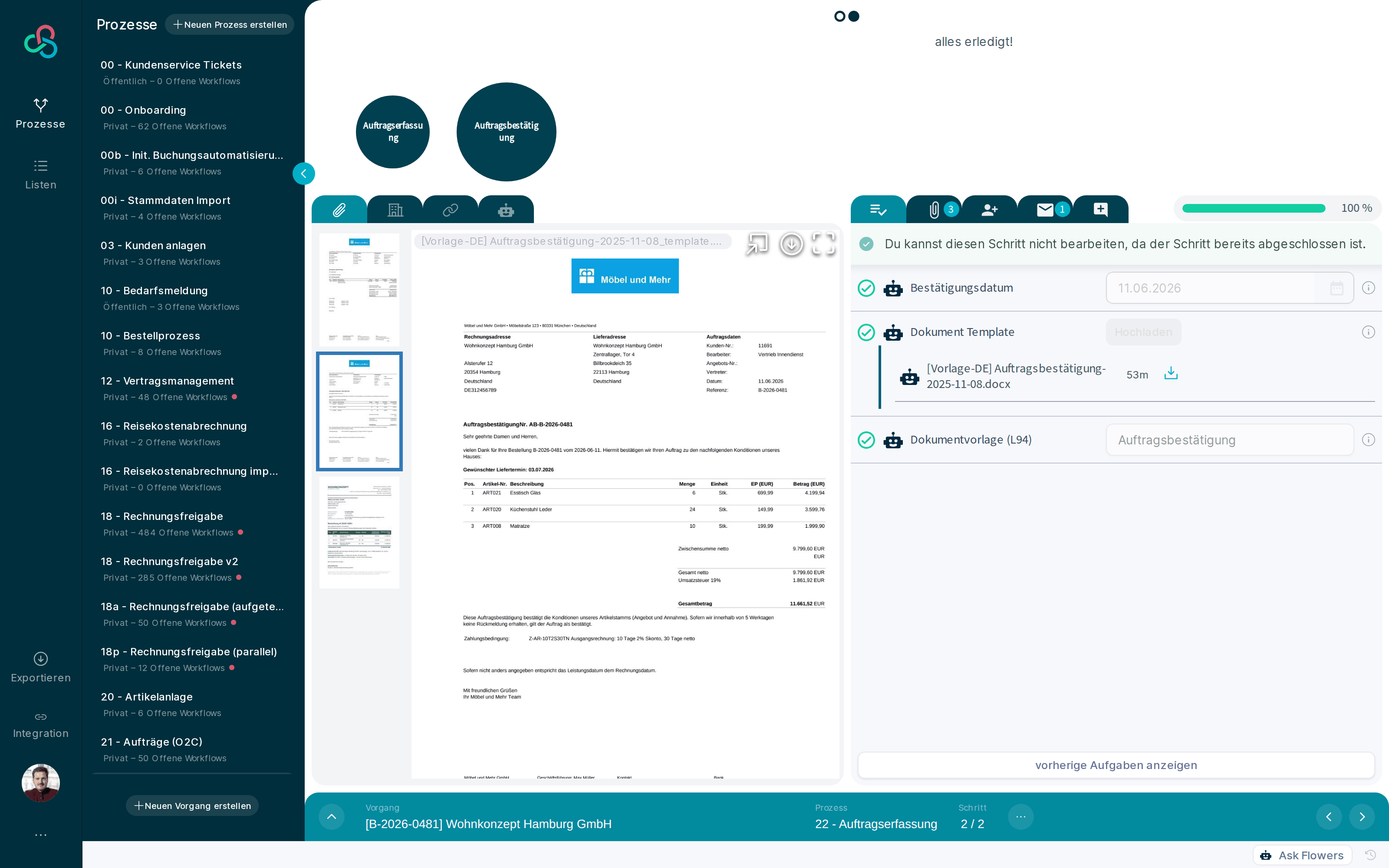
The order confirmation is generated as a document. It confirms your master-data values, not the deviating customer values. Then it goes back to the sender by email, automatically.
Flowers hands the verified data to your ERP. Process complete.
The 7 stations in the workflow
- Email intake: the workflow is created automatically
- OCR + in-house AI extract header data and line items
- Combination field: order values 1:1 as printed
- Matching against your own item master
- Automatic checks against prices and terms
- Order confirmation generated as a document
- Automatic reply email to the sender
Anyone can do OCR.
No training phase
Other systems need months of training before recognition is reliable. A 3 to 12 month ramp-up is common in this market.
Flowers reaches its highest recognition and automation rate from day 1, with your own documents. Test it in the demo with your most difficult orders.
More than OCR
Flowers combines deterministic automations, OCR, and an in-house AI trained specifically on business documents. This combination is unique in the market.
The AI reads. The rules check transparently. No black box.
Extraction is table stakes. Checking is the value.
Seven checks run automatically on every order. If a value deviates, it is flagged and resolved, never silently accepted.
Payment terms
Flowers pulls the payment terms from the customer record and checks every order against them. If the customer deviates, you see it immediately.
Units of measure
Piece, box, or pallet: the ordered unit is checked against the item master before wrong quantities reach the ERP.
Availability
Ordered items are matched against your availability. You see shortages before the confirmation, not after the complaint.
Prices
Every line price is checked against your item master, including customer-specific price lists.
Volume discounts
Tiered prices and volume discounts are applied automatically and checked against the ordered quantity.
Seasonal prices
Is a seasonal price in effect right now? Flowers checks the currently valid price, not last quarter's.
Framework agreements
Orders are checked against your framework agreement data: terms, validity periods, agreed quantities.
See your recognition rate before you buy
30 minutes, your own orders, extracted live. No pilot project required.
Book a demo with your own ordersOrder intake in any format. For any company size.
Paper, PDF order forms, CSV files, email orders: Flowers processes every order, no matter how your customers send it. Nobody has to change how they order.
EDI only pays off for your largest customers. Flowers is the answer for all the other orders.
And the range holds: from the small business that just needs simple order intake to the corporate group with complex order processing. Start small, the platform grows with you.
Your ERP stays. Flowers delivers the finished data.
Handover to all ERP systems relevant for mid-sized businesses, among others:
- DATEV
- SAP
- SAP Business One
- Sage 100/50
- Microsoft Dynamics 365 Business Central
- Microsoft Dynamics NAV (Navision)
- Oracle NetSuite
- proALPHA
- abas
- weclapp
- Infor
- Lexware
- Diamant
- BRZ
- Nevaris
- X-House
- Domus
Data records in any format: live via API and webhooks or as exports, dynamically configurable. The adaptability and integration breadth comes from years of experience with mid-sized and large companies.
0 days of training. The market norm is 3 to 12 months.
Flowers: productive from day 1
No ramp-up phase. The AI is pre-trained on business documents and works with your own documents from the first order, not with templates.
Market norm: 3 to 12 months of training
Independent reports and vendor statements document training phases of weeks to months, from "99% only in week eleven" to "ROI after 3 to 6 months".
Convince yourself with your own orders: in the demo, not in a pilot project.
What this looks like in Flowers
Real product views from the demo process, not illustrations.
Frequently asked questions about order entry automation
What is automated sales order entry?
Automated sales order entry means incoming orders are extracted without retyping, checked against your item master and terms, and confirmed automatically. Flowers covers the full path from the email order to the sent order confirmation and hands the verified data to your ERP.
How quickly is Flowers ready to use?
From day 1. There is no training phase: the AI is pre-trained on business documents and works with your own documents from the very first order.
Which order formats are supported?
Paper, PDF order forms, CSV files, and email orders. Your customers do not have to change how they order.
What does Flowers check automatically?
Seven checks: payment terms, units of measure, availability, prices including customer-specific price lists, volume discounts, seasonal prices, and framework agreement data. Deviations are flagged, never silently accepted.
Why does the automatic order confirmation matter legally?
In German B2B commerce, an order at deviating prices or terms is legally a new offer. If the supplier does not respond, deviating terms can become binding (commercial confirmation doctrine). This is specific to the German market. Flowers therefore confirms every order automatically, using the values from your item master and your payment terms rather than the deviating customer values.
Which ERP systems does Flowers hand over to?
Among others: DATEV, SAP, SAP Business One, Sage, Microsoft Dynamics 365 Business Central and NAV, Oracle NetSuite, proALPHA, abas, weclapp, Infor, Lexware, Diamant, plus industry systems such as BRZ, Nevaris, X-House, and Domus. Data records in any format, live via API and webhooks or as exports.
Does Flowers replace EDI?
No. Working EDI connections stay. Flowers handles the orders an EDI connection will never pay off for: email, PDF, paper, and CSV.
Do we need an IT project to get started?
No. Connect the email inbox, connect your master data, go. Your ERP stays unchanged; Flowers delivers the finished data.
What happens when extraction makes a mistake?
Deviations are flagged and resolved in the workflow, never silently accepted. Deterministic rules check every extraction against the item master, price lists, and terms. You keep control without typing everything.
What does automated order entry cost?
Entry pricing is built for mid-sized businesses; we discuss the exact number in the meeting. You start with one process and expand once the value is proven.